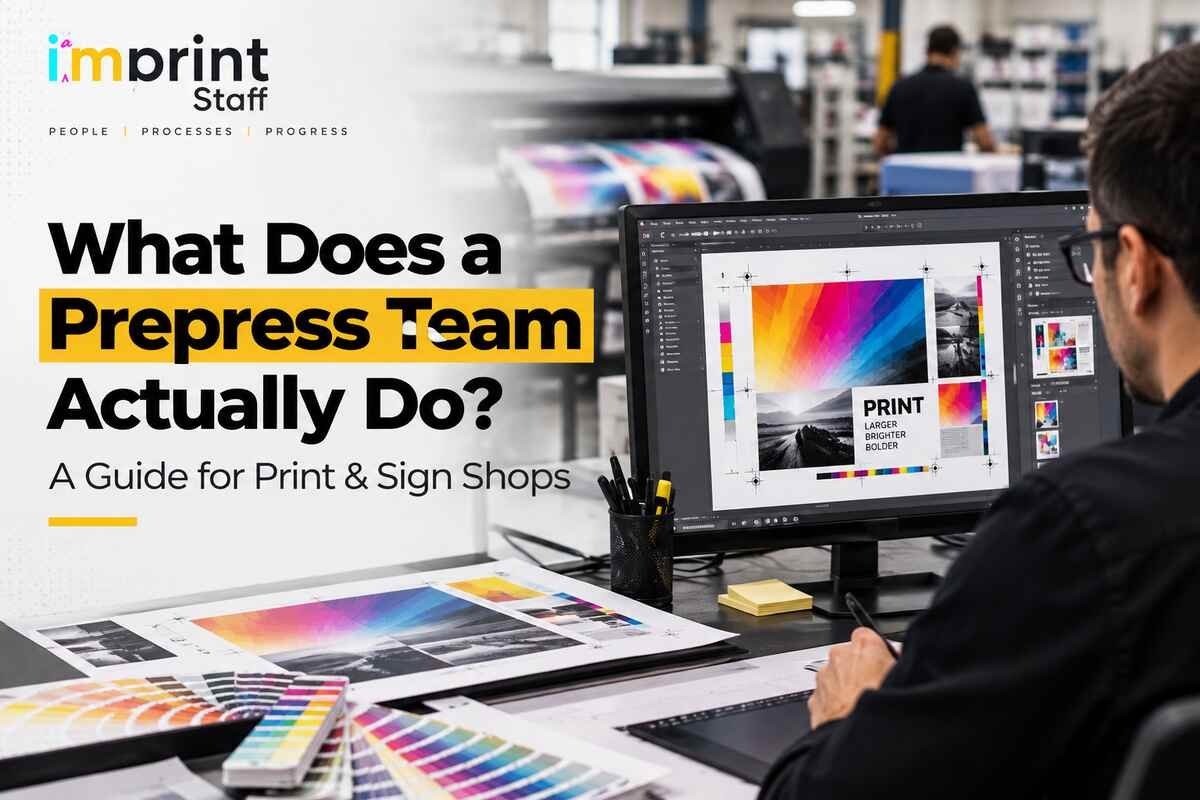

A prepress team takes the files a customer sends and turns them into something a press, printer or RIP can produce correctly the first time. In practice that means checking files for technical problems (preflighting), fixing them, managing color, getting customer sign-off on a proof, and arranging the job for the press (imposition) before a single sheet, banner or panel is printed.
If you run a commercial print shop or a sign and large-format business, you already know what happens when that work gets skipped: a low-resolution logo blows up on a 10-foot banner, a job prints in RGB and the brand blue comes out purple, or a missing bleed leaves a white sliver on every piece after trimming. Prepress services exist to catch those problems while they still cost minutes, not materials.
This guide walks through what prepress includes, what each step prevents, how prepress differs for signs and large-format work, and who in a growing shop should actually own it.
What Is Prepress in Printing?
Prepress is every step between a finished design and the start of production. The design is the customer’s (or your designer’s) responsibility; production is the press operator’s. Prepress sits between them and answers one question: will this file print the way the customer expects, on this device, on this material?
In a commercial print shop, prepress typically ends with a file sent to a RIP (raster image processor) for a digital press, or to a platesetter for an offset press. In a sign shop, it ends with a print-ready file queued to a wide-format RIP and, often, a separate cut file for a router or plotter.
The work is the same in principle across both. What changes is scale, substrate and the number of ways a file can go wrong.
What Does Prepress Include? The Core Services
Most prepress work falls into six functions. Shops don’t always call them by these names, but every job passes through them, whether someone owns them deliberately or not.
| Prepress function | What it means | The error it prevents |
| File intake & preflighting | Checking incoming files against the job’s specs: size, bleed, resolution, fonts, color mode, transparency | Blurry images, missing fonts, wrong trim size discovered on press |
| File preparation & correction | Fixing what preflight finds: adding bleed, outlining or embedding fonts, rebuilding low-res elements, converting to PDF/X | Customers resubmitting files, jobs stalling in the queue |
| Color management | Converting to the right color space and output profile, handling spot colors, matching brand colors to the device and substrate | Color shifts, off-brand logos, jobs that don’t match previous runs |
| Trapping & overprint | Slightly overlapping adjacent colors and setting overprint correctly | Thin white gaps between colors caused by registration shifts |
| Proofing & approvals | Producing a proof, sending it to the customer, managing revisions and sign-off | Printing something the customer didn’t approve (and disputing who pays) |
| Imposition & output | Arranging pages or pieces on the sheet or roll, adding marks, and sending the job to the RIP or platesetter | Wasted stock, wrong page order in booklets, trim and bindery problems |
File preparation and preflighting
Preflighting is the technical inspection of a file before it goes anywhere near production. A prepress operator (usually supported by preflight software such as Adobe Acrobat Pro’s preflight tools, InDesign’s live preflight or Enfocus PitStop) checks for:
- Images below the resolution needed at final print size
- Fonts that aren’t embedded or outlined
- RGB or unintended spot colors in a CMYK job
- Missing or insufficient bleed
- Transparency or effects that may not render as expected
- Wrong page size or orientation
Many shops ask customers for print-ready PDFs in a PDF/X format. PDF/X-1a flattens transparency and locks the file to CMYK; PDF/X-4 keeps live transparency and embedded ICC profiles, which suits more complex artwork and modern RIPs. Knowing which one your workflow expects, and what to do when a customer sends a native Illustrator file or a Canva export instead, is part of the job.
Color management
Color management is how a shop gets predictable color from file to finished piece. It involves:
- Color space conversion. Most customer artwork arrives in RGB. Converting it to CMYK with the correct output profile, rather than letting the RIP guess, controls how colors shift.
- Output profiles and standards. Commercial printers commonly work to a reference such as GRACoL 2013 (the CRPC6 characterization) and calibrate devices using a method like G7, so that proofs and presses aim at the same target.
- Spot colors. Deciding whether a Pantone brand color prints as a true spot ink or is simulated in CMYK (or in a wide-format printer’s extended gamut) and setting customer expectations about how close the match will be.
- Substrate awareness. The same file prints differently on coated paper, uncoated stock, vinyl, backlit film or fabric. Prepress picks or applies the right profile for the material.
Color management is also why repeat jobs should look like last month’s run. When the file, the profile and the approval are all on record, the next run has a target to match.
Proofing and approvals
A proof shows the customer what will be printed so they can approve it before production. The main types:
- Soft proof: a PDF viewed on screen. Fast and free; good for content, layout and copy checks, but not reliable for color unless the viewer’s screen is calibrated.
- Hard (digital) proof: a physical print from a proofing device, used when color accuracy matters.
- Contract proof: a color-accurate proof produced to a known standard and signed by the customer. It becomes the agreed reference for how the job should look.
- Press proof or strike-off: a sample run on the actual press or substrate, common for high-value jobs, packaging and large-format graphics where the material changes the color.
Prepress manages the whole approval loop: generating the proof, sending it, logging revisions, and making sure the approved version is the one that prints. In a busy shop, that version control is where a surprising number of reprints start.
Imposition and output
Imposition is arranging pages or items on a press sheet (or a wide-format roll or board) so they print, cut, fold and bind correctly with minimal waste. A 16-page booklet has to be imposed so pages land in the right order after folding; a run of business cards is ganged up across a sheet; a set of window graphics is nested across a roll to reduce media waste.
Output is the handoff: sending the imposed file to the RIP for a digital or wide-format device, or to computer-to-plate (CTP) for offset. For sign work, output often includes a separate contour cut path for a plotter, router or flatbed cutter.
What Happens to a Job in Prepress, Step by Step
Here’s the path a typical job takes from order to press:
- Intake. The file arrives with the order, through email, an upload portal or a web-to-print storefront, and is matched to the job ticket in the shop’s MIS.
- Preflight. The file is checked against the job specs: size, bleed, resolution, fonts, color.
- Fix or flag. Minor problems are corrected in-house; anything that changes the design (a low-resolution logo, missing content) goes back to the customer.
- Color and prep. The file is converted to the right output profile, spot colors are handled, trapping is applied where needed.
- Proof and approval. A proof goes to the customer; revisions are tracked until there’s a signed-off version.
- Impose and output. The approved file is imposed and sent to the RIP or platesetter, with cut files for finishing where needed.
When one person does all six steps between customer calls and quotes, steps 2 and 5 are the ones that get rushed. They’re also the two that prevent the most expensive mistakes.
Preflighting vs. Proofing: What’s the Difference?
Preflighting checks whether a file is technically printable. Proofing checks whether the customer approves what will be printed. Both happen in prepress, but they answer different questions and catch different errors.
| Preflighting | Proofing | |
| Who it’s for | The shop | The customer |
| What it checks | Resolution, fonts, bleed, color mode, file structure | Content, layout, spelling, color, size, overall appearance |
| How it’s done | Preflight software plus a prepress operator’s review | Soft proof (PDF) or hard/contract proof |
| What it catches | Problems the customer usually can’t see on screen | Problems only the customer can judge (wrong phone number, old logo) |
| When it happens | Before the proof is made | Before production starts |
A file can pass preflight and still be wrong (the customer’s typo is technically perfect). A file can look right on a soft proof and still fail on press (a 72-ppi image looks fine on screen). That’s why a shop needs both.
How Is Prepress Different for Sign and Large-Format Shops?
The principles are the same, but large-format prepress has its own failure points, and they’re expensive ones because the material costs more per job.
- Scale and resolution. Files are often built at a fraction of final size (25% or 10% scale is common for very large graphics). Prepress has to confirm the effective resolution at full size. Viewing distance matters: large graphics viewed from across a room or a road can use lower resolution than a brochure, but a vehicle wrap or a trade-show backdrop viewed up close cannot.
- Bleed and finishing allowances. Commercial print usually needs about 1/8 inch of bleed. Banners with hems, grommets or pole pockets, mounted graphics and wraps often need much more, and the right amount depends on how the piece is finished and installed.
- Paneling and tiling. Wall murals, wraps and oversized graphics are split into panels with overlaps. Getting the seams, overlaps and panel order right is prepress work.
- Cut paths and layers. Contour-cut decals, routed signs and print-and-cut work need clean vector cut lines on the correct layer. White-ink or clear-ink layers for printing on clear or colored media also have to be built as separate spot channels.
- Substrate and RIP profiles. Wide-format RIPs such as ONYX, Caldera or EFI Fiery apply media-specific profiles. Prepress has to send the file to the right queue for the right material, or the color will be off even when the file itself is correct.
A generalist designer can make a beautiful sign layout and still hand off a file that fails on every one of these points. That’s the practical difference between design skill and prepress skill.
Who Should Own Prepress in a Growing Shop?
In smaller shops, prepress is often nobody’s full-time job. It gets done by the owner, a production manager, a CSR who “knows Illustrator,” or a designer between creative projects. That works until volume grows, and then the symptoms show up in the same places:
- Files sit in a queue waiting for someone with time to check them
- Reprints and remakes trace back to missed bleed, resolution or color issues
- Proof revisions get lost in email threads, and the wrong version prints
- Jobs are delayed because only one person knows how to impose or RIP certain work
- The owner or production manager spends evenings fixing customer files
When that happens, shops generally choose between four models:
| Option | Works best when | Watch out for |
| Someone in-house doing it part-time | Low volume, simple jobs | Prepress gets rushed whenever the “real” job gets busy |
| A dedicated in-house prepress hire | Steady high volume, on-site output work | Local candidates with real prepress experience can be hard to find; training a generalist takes time |
| A trade prepress service (per-job) | Occasional overflow or specialist work | Job-by-job turnaround, less familiarity with your customers, standards and equipment |
| A dedicated remote prepress designer | Steady volume, desktop prepress work, need for speed without a local hire | Needs clear specs, access to your file workflow and a defined hand-off to on-site output |
The last option is worth understanding in detail, because it’s the one many shop owners haven’t considered.
What prepress work can be done remotely, and what can’t?
Most prepress is desktop work, which means it can be done well by a remote team member working inside your file workflow:
Can be done remotely: preflighting, file correction, color conversion to your specified profiles, trapping, proof creation and customer approval management, imposition, cut-file preparation, paneling, and preparing jobs for your RIP hot folders.
Stays on-site: running the RIP and output devices, press checks, physical hard-proof production, device calibration and color measurement, and final visual checks on the actual substrate.
That split matters. A remote prepress designer doesn’t replace your press operator or your color calibration routine. They take the file-level work off the plates of the people who should be running equipment, quoting jobs or talking to customers. The shop’s standards (profiles, bleed specs, proof policies) still come from the shop.
Where automation fits
Automated preflight and workflow tools have become far more common, and they’re good at what they do: flagging a missing font or a low-resolution image in seconds. What they don’t do is decide whether to rebuild a customer’s logo, call the customer about a design problem, choose between a spot-color and CMYK build for a brand color, or judge whether a 90-ppi image is fine for a banner viewed from 30 feet away. Automation speeds up prepress; it doesn’t remove the need for someone who understands print to make those calls.
What to Look for in a Prepress Designer or Prepress Service
Whether you’re hiring locally, using a trade service or bringing on a remote prepress designer, check for:
- Print production experience, not just design experience. They should explain bleed, trapping, imposition and color profiles without being prompted.
- Fluency in the software your files arrive in. Typically Adobe InDesign, Illustrator, Photoshop and Acrobat Pro, plus preflight tools; for sign work, comfort with vector cut paths and large, layered files.
- Experience with your kind of work. Commercial print, packaging and large-format prepress overlap, but they aren’t interchangeable. Ask for examples relevant to your jobs.
- A clear process for proofs and version control, so the approved file is always the one that prints.
- Willingness to follow your standards (profiles, bleed specs, file naming, hot-folder structure) rather than importing their own.
- Communication that fits your production day, including overlap with your business hours and a defined way to flag questions to someone on-site.
Frequently Asked Questions
What is prepress in printing? Prepress is everything that happens between a finished design and the start of production: checking and fixing files, managing color, getting proof approval and preparing the job for the press or printer. Its purpose is to make sure a file prints correctly the first time.
What file formats and software do prepress teams typically support? Most shops prefer print-ready PDFs (often PDF/X-1a or PDF/X-4), but prepress teams also work with native Adobe InDesign, Illustrator and Photoshop files, EPS, TIFF and similar formats. Common tools include Acrobat Pro and preflight plug-ins such as Enfocus PitStop, plus the shop’s RIP software.
How does color management prevent print errors? Color management converts files to the correct output profile for the device and material, handles spot colors deliberately and aligns proofs with the press. That prevents surprises such as RGB colors shifting on conversion, brand colors printing off-shade, or a reprint not matching the original run.
How long does prepress take? It depends on the file. A clean, print-ready PDF can be preflighted and proofed quickly; a file that needs rebuilding, color correction or several rounds of customer revisions takes longer. Proof approval wait time is often the biggest variable.
Is prepress included in the price of printing? Practices vary by shop. Many include a basic file check and proof in the job price and charge separately for design changes, file rebuilds or additional proof rounds. It’s worth stating your policy clearly on quotes so customers know what triggers extra charges.
Can prepress be outsourced? Yes. Desktop prepress work (preflighting, file correction, color conversion, proofing and imposition) can be handled by a trade prepress service or a dedicated remote prepress designer. Output, press checks and device calibration stay with the on-site team.
The Bottom Line
A prepress team is the reason a customer’s file turns into the job they expected, on the first run. It checks what customers can’t see, fixes what can be fixed, confirms what only the customer can approve, and hands production a file that’s ready to run. When nobody owns that work, it still happens; it just happens late, under pressure, and occasionally after the job has already been printed wrong.
If prepress in your shop is currently squeezed in between quoting, customer calls and running equipment, it’s worth giving it a dedicated owner. Imprint Staff places print-fluent prepress designers who handle file prep, preflighting, color management, proofing and imposition inside your existing workflow. See how our print production support works, how it connects to order entry and print operations support on the front end of each job, or hire a prepress designer to talk through what your shop needs.